
The Bus
TML-Studios · 2026
- Very good
- 84
- Downloads
- 8.4K
- Views
- 237.3K
About the game
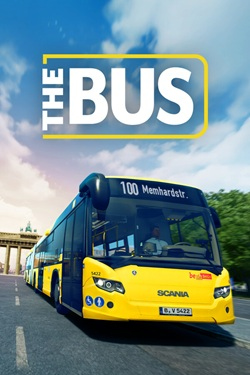
The Bus – is a city bus simulator set in Germany. You'll transport passengers on various routes. Create and manage your own fleet. Team up with other drivers and take action. The Bus – This is a new generation of simulators where the player drives in various directions. In-game route lines will help you easily reach your destination. A variety of landmarks and interesting places await you. Realistic graphics and a full night and day cycle with weather and seasons add to the game's realism. Mouse and keyboard controls are supported, and a steering wheel and pedals can be connected for a more realistic experience. A photo mode for taking screenshots is also available. Additional features and content are planned. Early access includes two bus variants and passenger transport with pickup and drop-off. The game also features real ticket sales and purchases. Download The Bus The Russian version of the game is not available for PC via torrent, but can be purchased on Steam. Managing bus routes has become even easier. The simulator turns the game into a true adventure. Team up online with other drivers and join the exciting journey.
Repack & installation
What’s included and how to get it running
Repack features
- Based on the Steam release - Nothing cut / nothing re-encoded - Game version: Build 22508815 - Change the language in the game settings - Installation time ~ 5 minutes (depends on your PC)
Extras
Neoplan Skyliner VDL Futura FHD2 comfort class MAN Lions Intercity BB40 Scania Touring W906 MAN Lion's Coach 2017 VDL Futura FDD2 line 100 TC AX AD AM IL Hamburg City (by Halycon)
Starting the game
Attention! This method is not a classic hack. It is an alternative way to launch via hypervisor for those who are temporarily unable to purchase activation. 1. Installation: Disable your antivirus, install the game, and add its folder to the exclusions list to prevent bypass files from being deleted. 2. BIOS: Turn on Virtualization Technology in your BIOS (usually enabled by default). 3. VBS.cmd: Run VBS.cmd as administrator from the folder with the installed game, click 1 and restart your PC. 4. F7: When the system boots (in the window that appears), click F7to disable driver signature verification. 5. Run: Launch the game from the shortcut on your desktop. Important: Once everything is working, you can simply launch any other Hypervisor-based game from the shortcut. This will work until you shut down or restart your computer. If that happens, run the following again: VBS.cmd > 1 > Restart > F7 > Desktop Shortcut. Rollback to standard mode: After completing or deleting the game, launch VBS.cmd as administrator, click 3 and reboot. This will restore the default protection and remove temporary settings (the game will no longer launch).
Why might the game not launch?
1. VBS.cmd: Carefully read everything the file displays, at least the first time. All changes can be rolled back using 3rd option - It is recommended to use it when you finish playing. 2. Antivirus: Required Add the game folder to the exclusions list. Windows Defender may silently block system files and drivers, preventing the game from launching. 3. BIOS: In AMD processors, virtualization is most often called SVM, it must be enabled. Intel has VT-d (or VT-x). 4. Anti-cheats: Third-party anti-cheat software (Faceit, Vanguard, Easy Anti-Cheat, BattlEye, etc.) should be disabled or removed as it conflicts with the Hypervisor method. 5. Monitoring: If you are using MSI Afterburner or RivaTuner, close them completely before running - they often cause conflicts in such releases.
What’s new
Repack by Igruha added. Enjoy!
Will it run on my PC?
Minimum system requirements
- System
- Windows 10, 11 (64-bit)
- Processor
- Intel Core i5-4460
- Memory
- 8 GB
- Storage
- 60 GB
- Graphics
- GeForce GTX 1650 or Radeon RX 5500
What it’s like
How players tag this game — tap one to find more like it.
More like this
If you like The Bus, try these